The best Claude skills for web design, tested on the same brief.
By Max Zeshut, Tech Lead · Run on 2026-11-17 · Our own skill is one of the six, and our own reviewer scored them
The short answer
We gave six fresh Claude agents the same homepage brief: one with no skill, five each with one design skill (frontend-design, impeccable, taste-skill, ui-ux-pro-max and ours). All six built the same idea, a pool timetable in the hero. The skills changed the finish, not the concept: frontend-design had the boldest type, impeccable the most ambitious first screen, taste-skill the most polished product look. On automated accessibility checks, ours failed no blocker rules and the others failed one to five, but we wrote those checks, so read that as a claim to test, not a verdict.
How we tested.
- One brief. Tidewell, a booking app for small independent swimming schools: parents book, reschedule and pay; owners fill pool slots and get paid before term. £29 a month per pool, first term free. One permitted proof line and one quote. Audience: school owners first, parents second. One self-contained index.html, no external images, responsive from 320 to 1440 px, primary action “Start your free term”.
- Six builders, one skill each. Each was a fresh Claude agent with the same model and settings, allowed to read only the brief and its own skill folder. No web browsing, and no looking at the other builds.
- No scripts. Skills that ship scripts, binaries or MCP servers had those steps skipped; the agents followed the written method instead. impeccable, taste-skill and ui-ux-pro-max lose the most from this, and ours lost its MCP server and audit tool.
- Scored by our reviewer. Each page went through review_design at desktop and phone sizes: axe, WCAG text spacing and 200% text, target sizes, focus, contrast of form fields, body text size and a few checks for the stock look of AI-built pages. These are our rules, and our skill is written to them.
- One run each. Language models vary from run to run; another run could reorder the middle of the table.
- Left out: designer-skills, a collection of many skills rather than one method, which would not compare like for like.
The six pages.
First screen at 1440 × 900 and at 390 px, reduced motion. Failed automated rules by severity.
No skill
Claude on its own
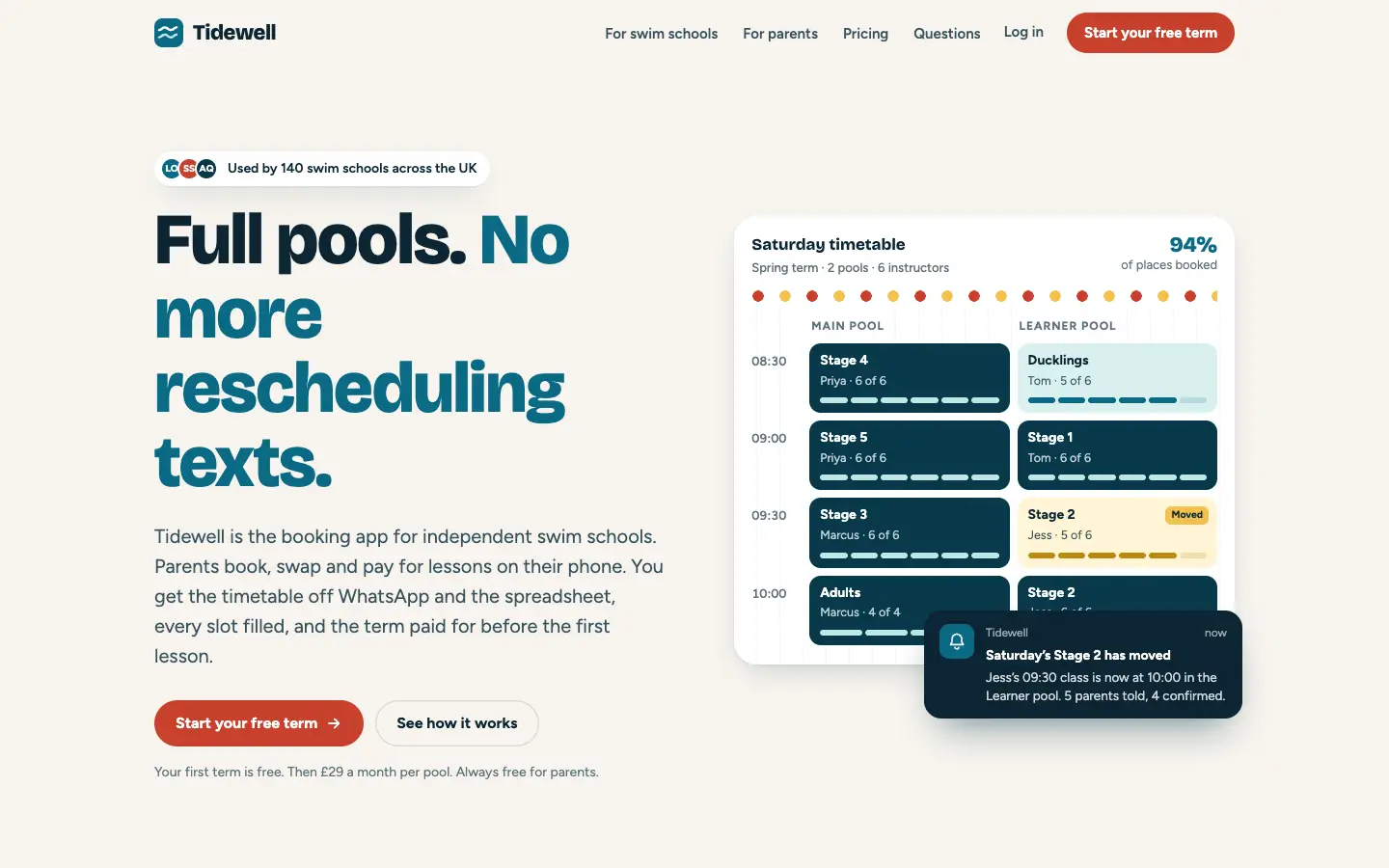
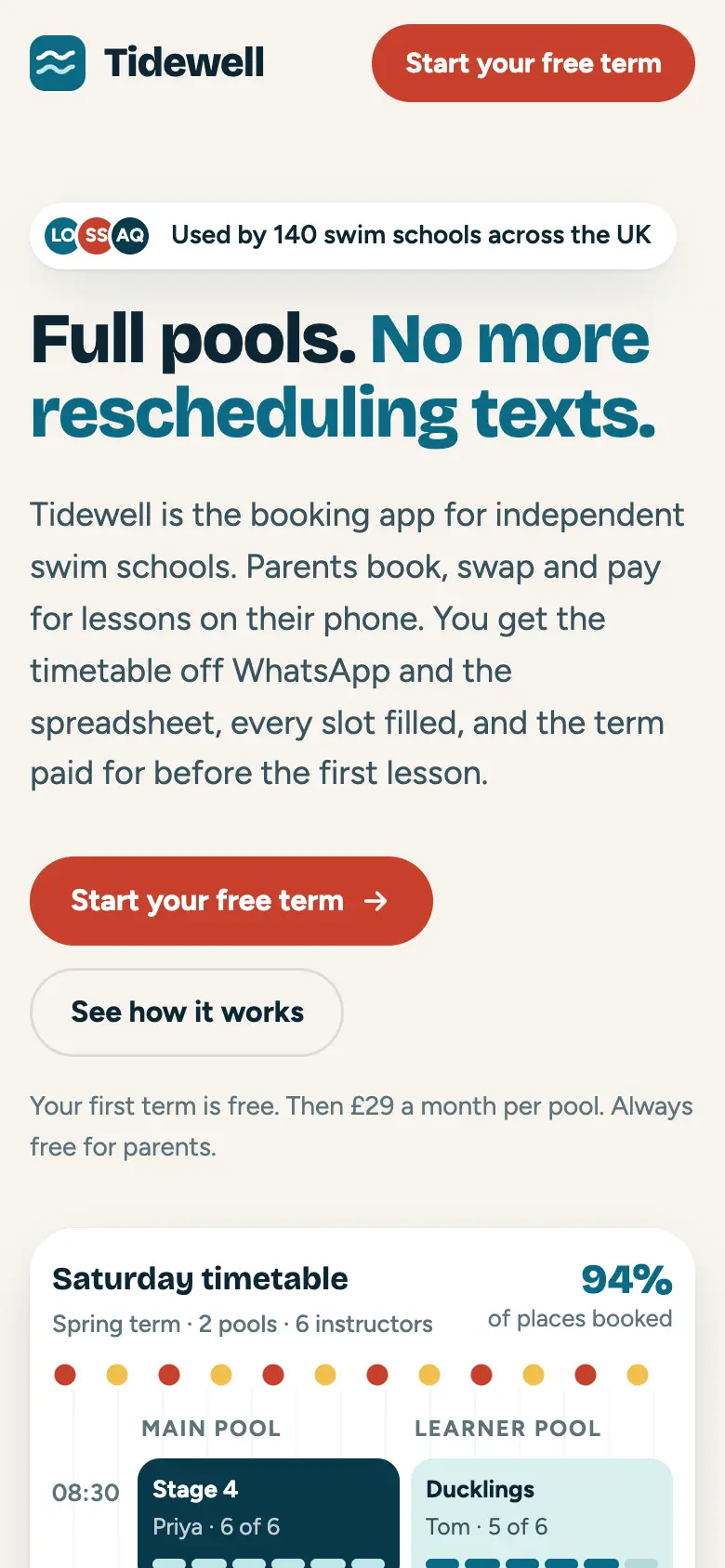
1 blocker1 major3 minors32 checks passed · first paint 1.0 s · 50 KB
A tidy split hero: a big two-colour headline beside a Saturday timetable, a toast saying a class moved, coral buttons. Competent and familiar.
Failed: Text clipped at 320 px with WCAG text spacing; 16 text elements under 16 px; three identical icon-card rows; cards inside cards.
frontend-design
Anthropic · 1.1.1 · Apache 2.0
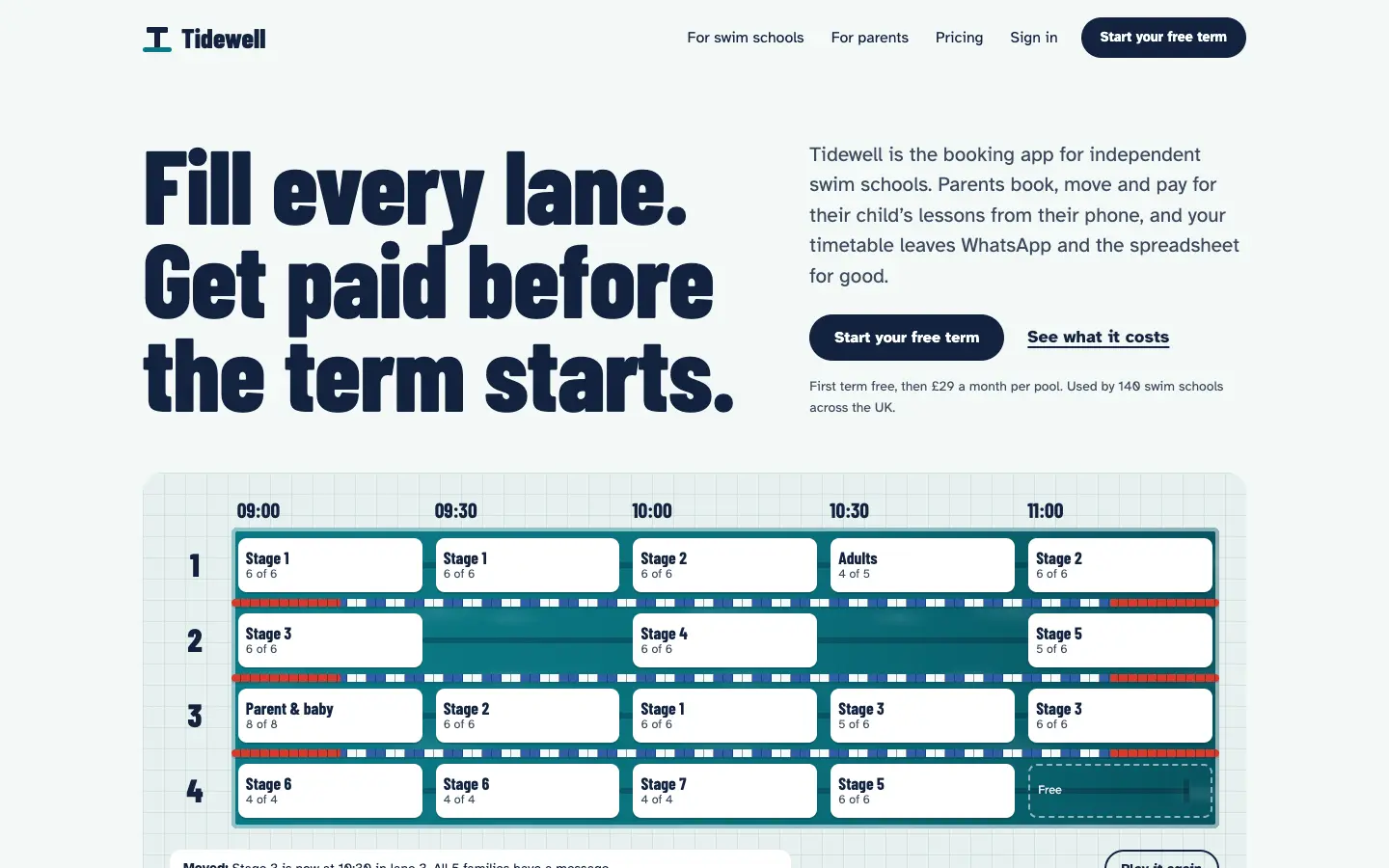
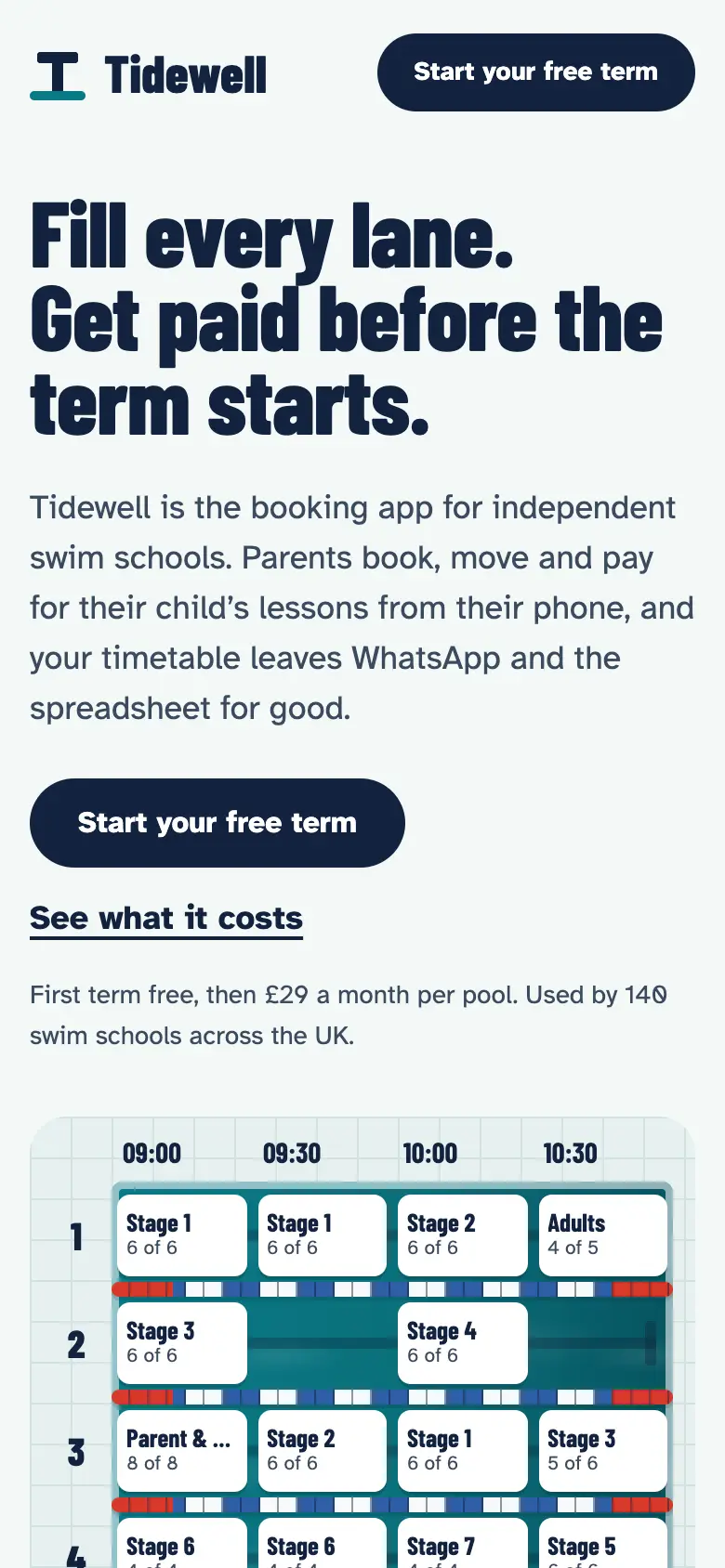
5 blockers1 major3 minors29 checks passed · first paint 1.0 s · 36 KB
The boldest type: a condensed display face at 108 px, and the timetable drawn as a pool seen from above with lane ropes. The lightest page.
Failed: Low contrast on one message; five tap targets under 24 px; a focused element hidden under the sticky header; text clipped with WCAG text spacing and at 200% text.
impeccable
Paul Bakaus · d41d986 (16 Nov 2026) · Apache 2.0
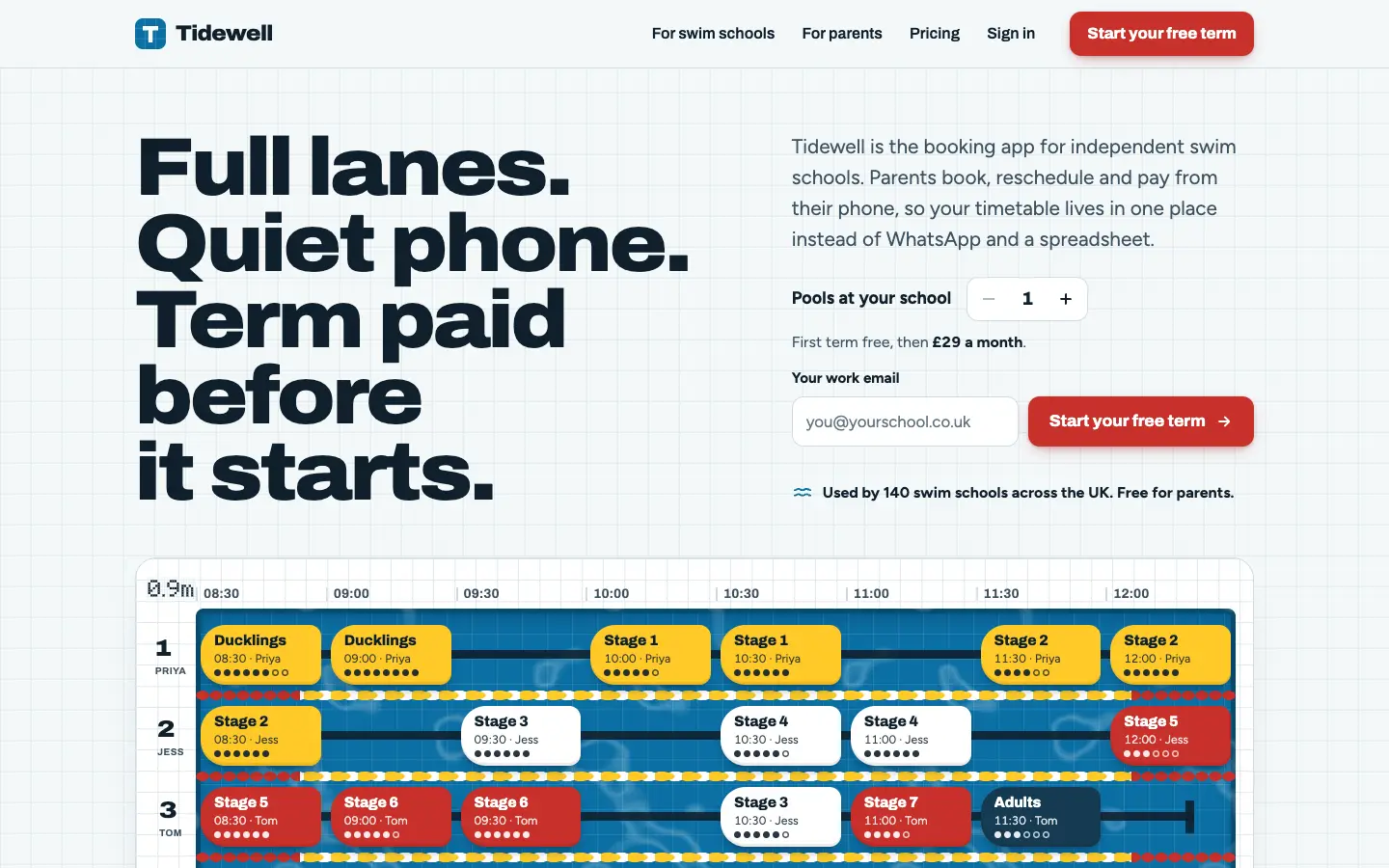
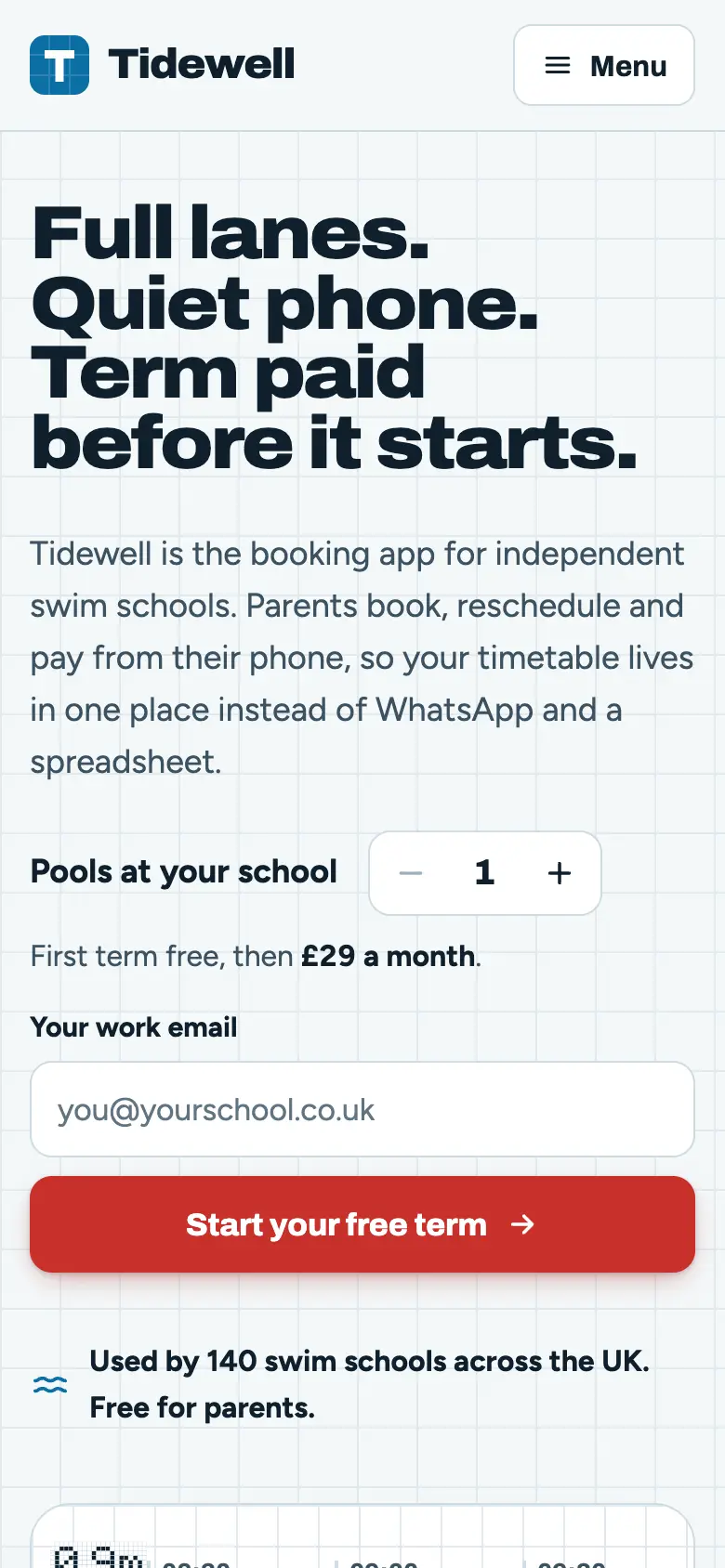
4 blockers2 majors3 minors31 checks passed · first paint 1.1 s · 64 KB
The most ambitious: a working sign-up form and pool counter in the first screen, and a dense, colourful timetable with kickboard-shaped lessons. Ambition cost it the most failures.
Failed: Seven low-contrast labels; 40 elements clipped at 200% text; a form field with too little contrast; buttons whose names don't match their labels; 96 text elements under 16 px, the smallest 9.9 px.
taste-skill
Leon Lin · f6b7657 (7 Nov 2026) · MIT
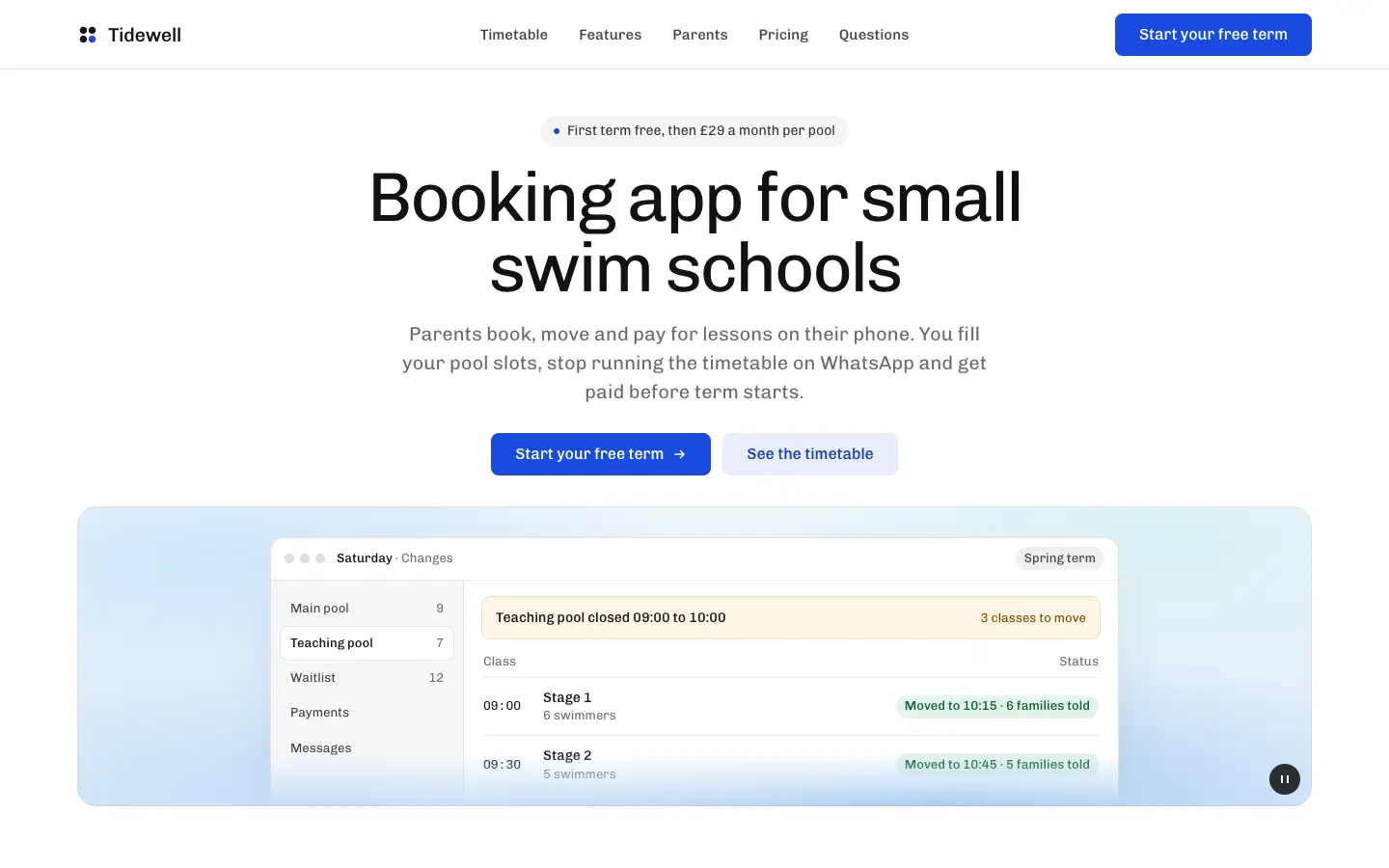
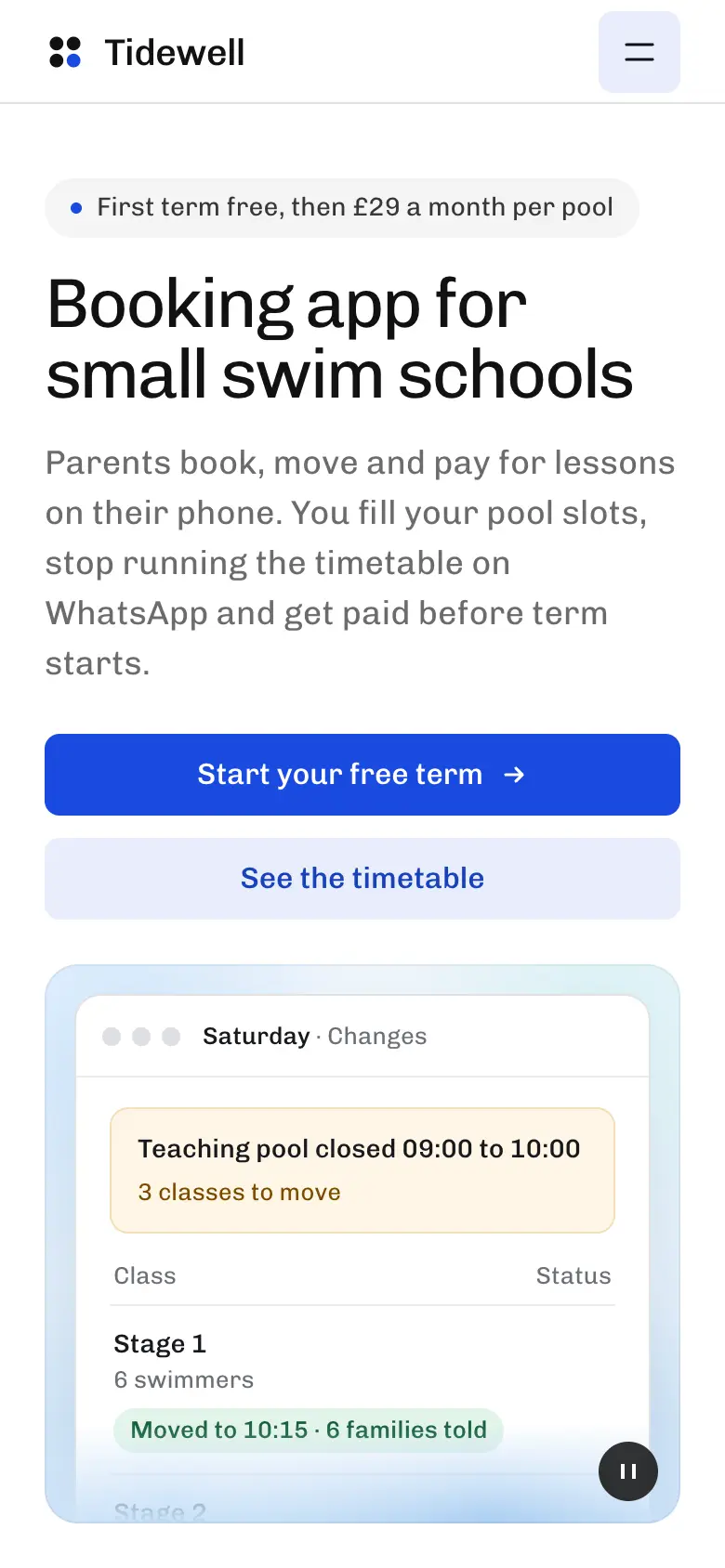
2 blockers1 major2 minors31 checks passed · first paint 2.1 s · 76 KB
The calmest and most product-like: a centred headline over a frosted app window that shows the change being sent. Polished, close to a well-made SaaS template.
Failed: Low contrast on message times; ARIA attributes where they are not allowed and a control inside a control; six text elements under 16 px.
ui-ux-pro-max
Next Level Builder · e59ff37 (16 Nov 2026) · MIT
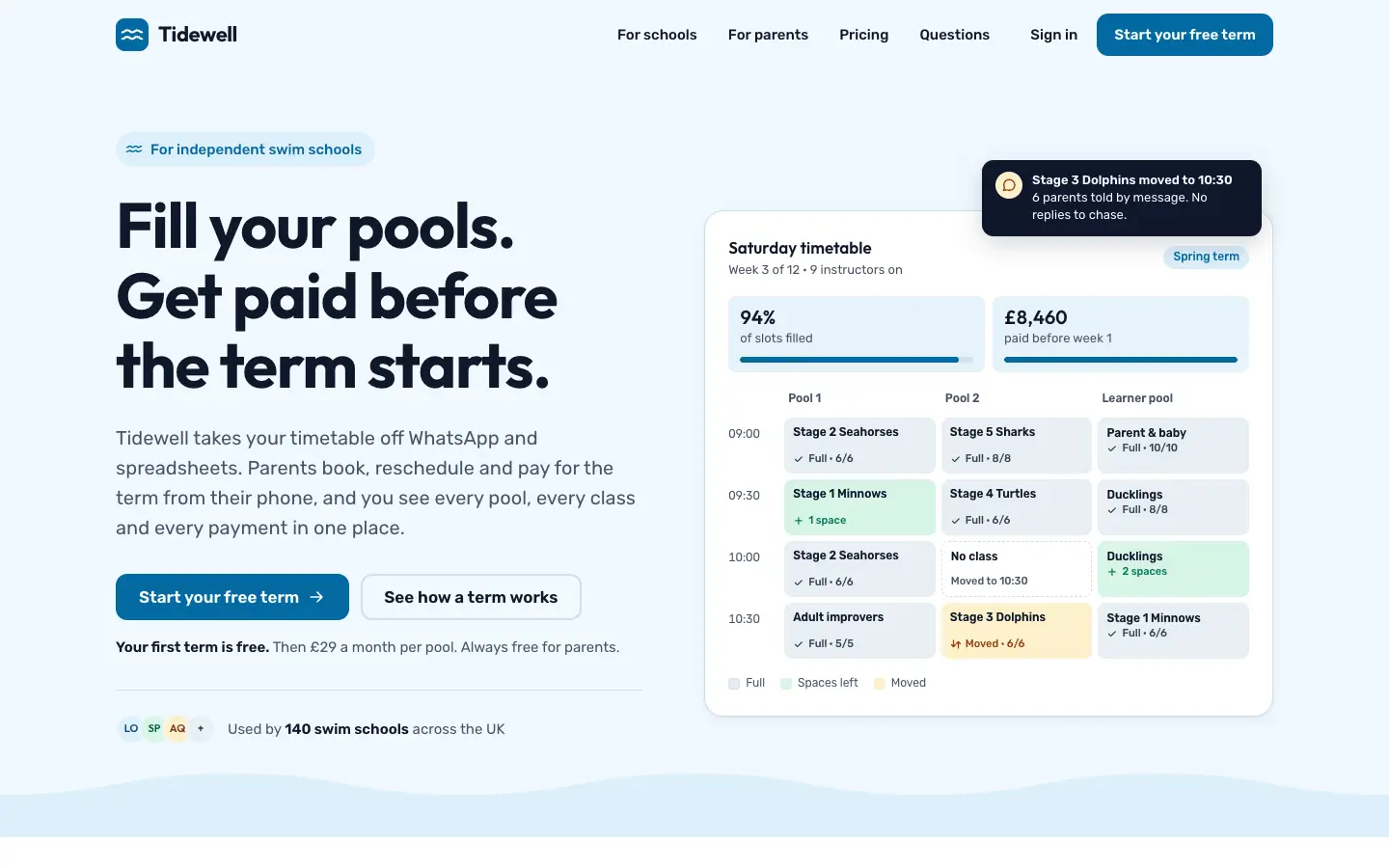
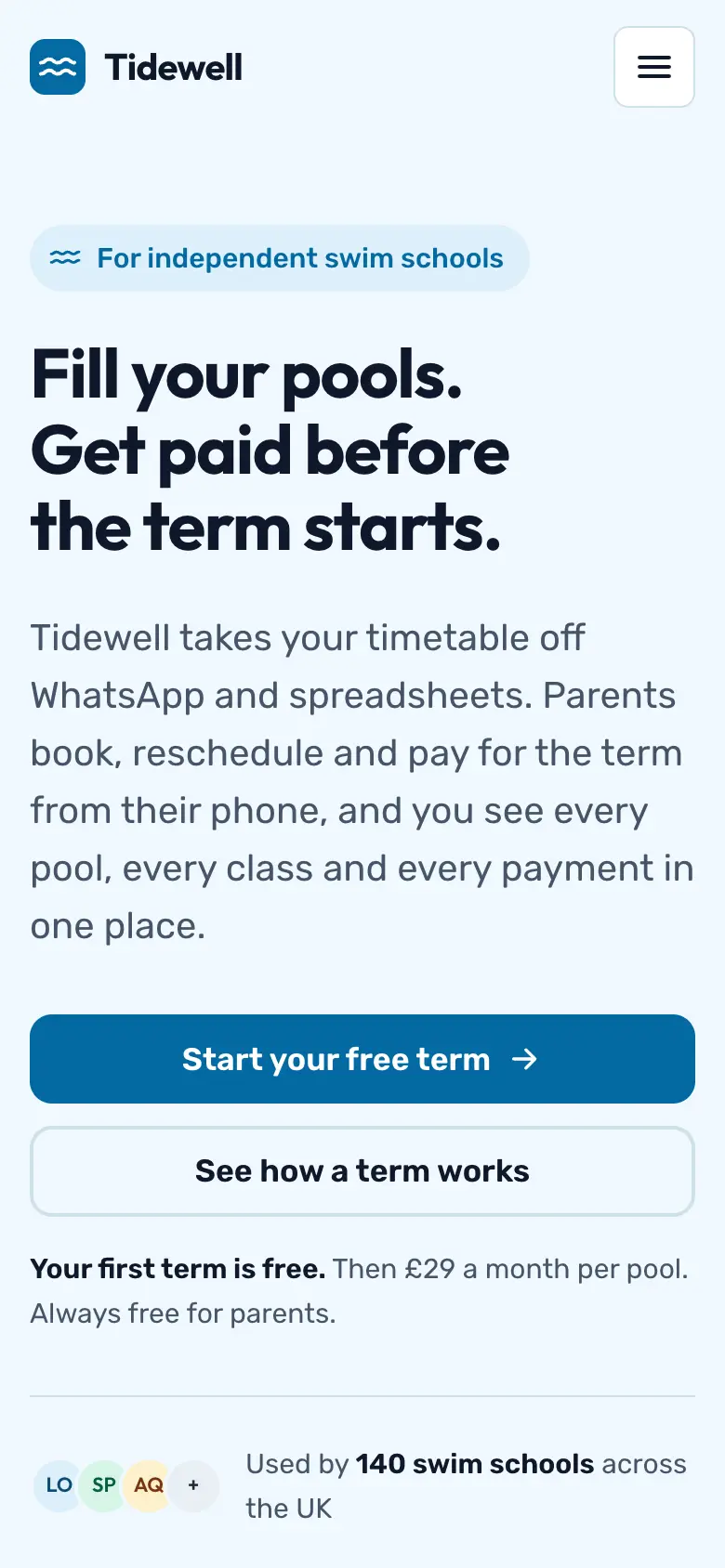
2 blockers1 major4 minors30 checks passed · first paint 1.2 s · 62 KB
Clean and conventional: pill badge, headline, two buttons, a timetable with two stat cards and a wave at the bottom. The most familiar of the six.
Failed: A focused element hidden under the sticky header; all three form fields under 3:1 against the page; stock hero pattern (badge, two buttons, three-card row next).
What a design! skill
us · 96e1ad0 (17 Nov 2026) · CC BY-NC 4.0
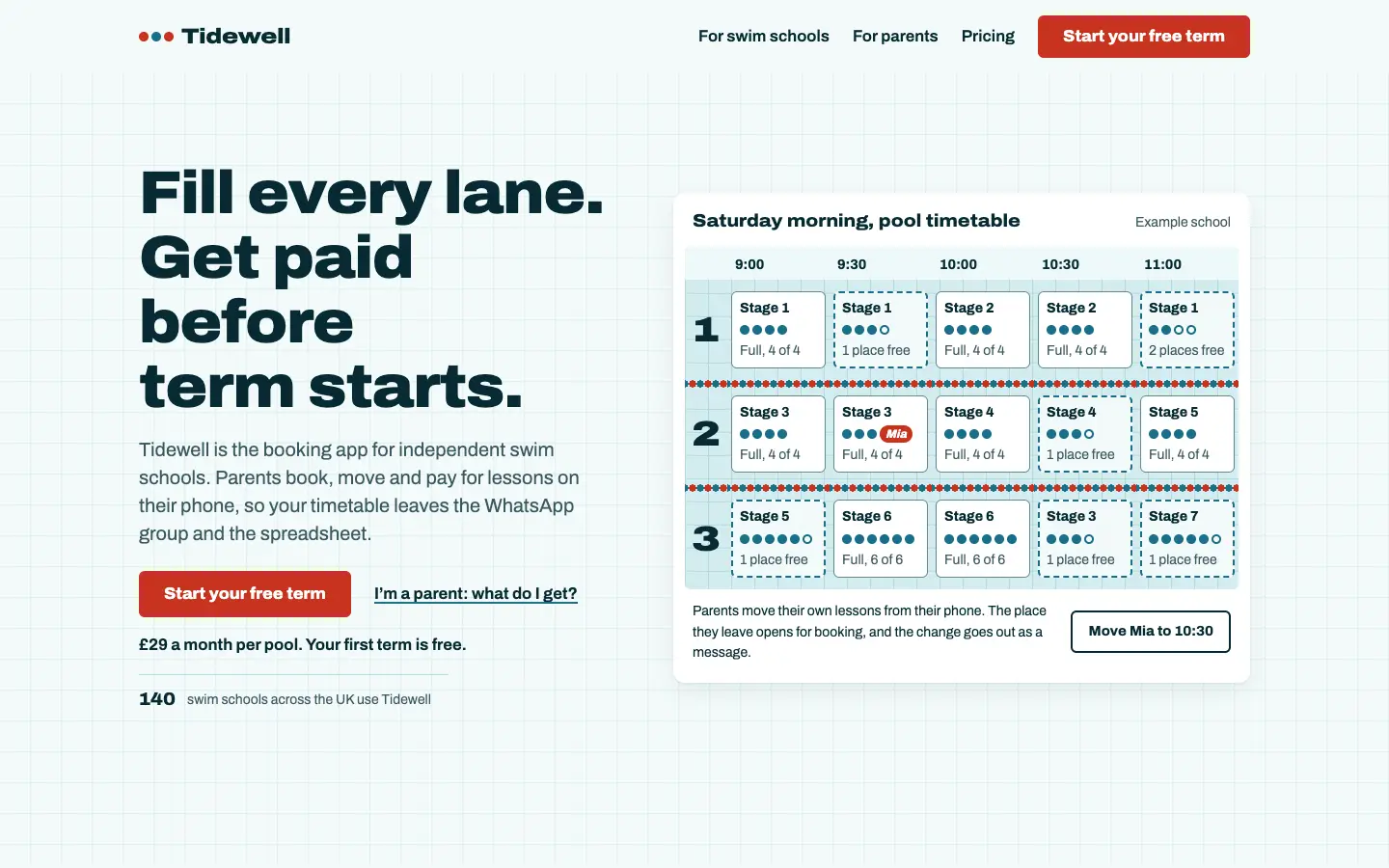
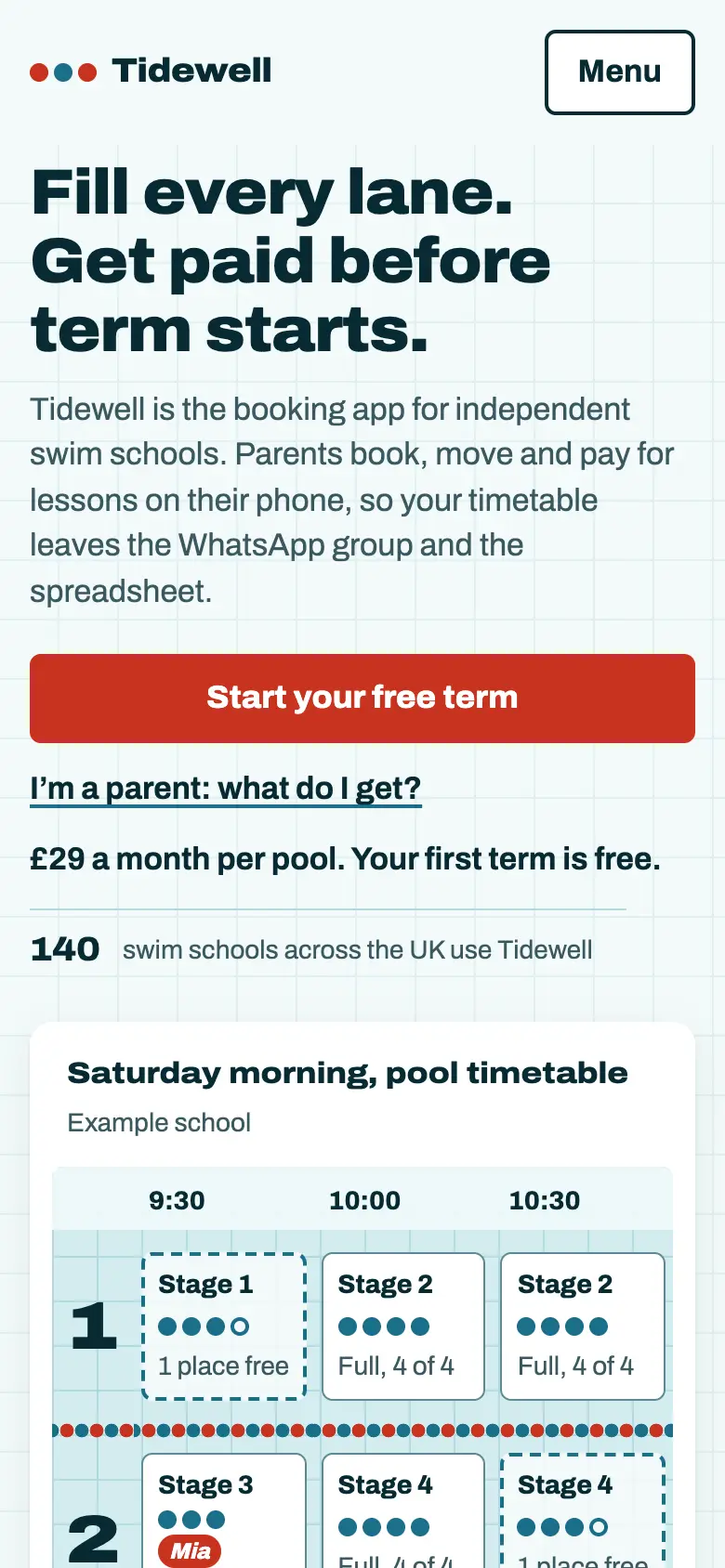
0 blockers2 majors1 minor35 checks passed · first paint 0.5 s · 46 KB
A split hero with a lane-sheet timetable you can use (“Move Mia to 10:30”), coral on pale blue, the 140 schools set large. No blocker failures and the fastest first paint.
Failed: One element meant to be hidden shows when JavaScript is off; 44 text elements under 16 px, the smallest 12 px; cards inside cards in the phone view.
At a glance.
| Skill | Blockers | Majors | Passed | First paint |
|---|---|---|---|---|
| No skill | 1 | 1 | 32 | 1.0 s |
| frontend-design | 5 | 1 | 29 | 1.0 s |
| impeccable | 4 | 2 | 31 | 1.1 s |
| taste-skill | 2 | 1 | 31 | 2.1 s |
| ui-ux-pro-max | 2 | 1 | 30 | 1.2 s |
| What a design! skill | 0 | 2 | 35 | 0.5 s |
Blockers are failures of rules we treat as release-stopping, mostly WCAG 2.2 AA. Passing them means no automated failure was found, not that the page is accessible: every page still needs a person to check it with a keyboard and a screen reader.
What we learned.
- The idea came from the brief, not the skill. Every builder turned “stop managing the timetable on WhatsApp” into a timetable in the hero. If you want a different idea, the brief or a reference has to carry it. [Our take]
- No skill is already decent. The page Claude built on its own failed one blocker, fewer than any of the four third-party skills (two to five). A skill that adds ambition adds things to get wrong.
- Small text is the common miss. All six pages set labels under 16 px, from 6 elements (taste-skill) to 96 (impeccable, down to 9.9 px), ours included at 44.
- Sticky headers hide focus. Two pages let the keyboard focus disappear under the header, a WCAG 2.2 failure that is easy to miss by eye.
- Checks you can run beat rules you read. Ours passed most because it carries the rules the reviewer tests. That is the argument for giving the agent checks it can run, and also the reason not to take our row at face value.
Which one to use.
- The least setup: frontend-design, one file from Anthropic. Then check focus, target sizes and 200% text yourself.
- The most ambitious pages: impeccable, with its scripts and critique steps run, which this test could not do.
- A polished product look: taste-skill.
- A searchable style and palette catalogue: ui-ux-pro-max, with its search script.
- A process with checks and real references: the What a design! skill, ideally with the library open beside it.
[Our take], from one run. Try two on your own brief: it takes an afternoon and tells you more than this page.
Questions.
What is the best Claude skill for web design?
On one brief, no skill was clearly best on looks: all six pages built the same idea, a pool timetable in the hero. They differed in finish and in accessibility. frontend-design gave the boldest type, impeccable the most ambitious first screen, taste-skill the most polished product look, and the What a design! skill the fewest automated failures, on a reviewer we wrote ourselves. Run your own brief before choosing.
Do Claude design skills make a difference?
Less than their pitches suggest, on one run. Claude with no skill already built a competent page, and every skill built a variation of the same concept. The differences were in type, density and how many accessibility checks failed, not in the idea.
How do I install a design skill in Claude Code?
Anthropic's frontend-design installs with /plugin install frontend-design@claude-plugins-official. The others are folders on GitHub: clone the folder that holds SKILL.md into ~/.claude/skills/ (all projects) or .claude/skills/ in one project, as each README describes. The What a design! skill installs with git clone https://github.com/zeshutmax/whata-design-skill ~/.claude/skills/whata-design.
Can I use more than one design skill at once?
You can install several, but two skills that each want to run the design process will give Claude conflicting instructions. Pick one method and add others only for a narrow job, such as a review pass.
Is this benchmark fair to the other skills?
Not fully, and we say how. We wrote the reviewer, and our skill is written to the same rules, so it was always likely to fail fewer of them. impeccable, taste-skill and ui-ux-pro-max ship scripts that were not run here. It is one brief and one run per skill.
Versions and sources
frontend-design 1.1.1 (claude-plugins-official, Apache 2.0); impeccable d41d986 (Apache 2.0); taste-skill f6b7657 (MIT); ui-ux-pro-max e59ff37 (MIT); What a design! skill 96e1ad0 (CC BY-NC 4.0). Builds and review run 17 November 2026. Screenshots are of pages made for this test, not of the skills' own sites.